About this plugin
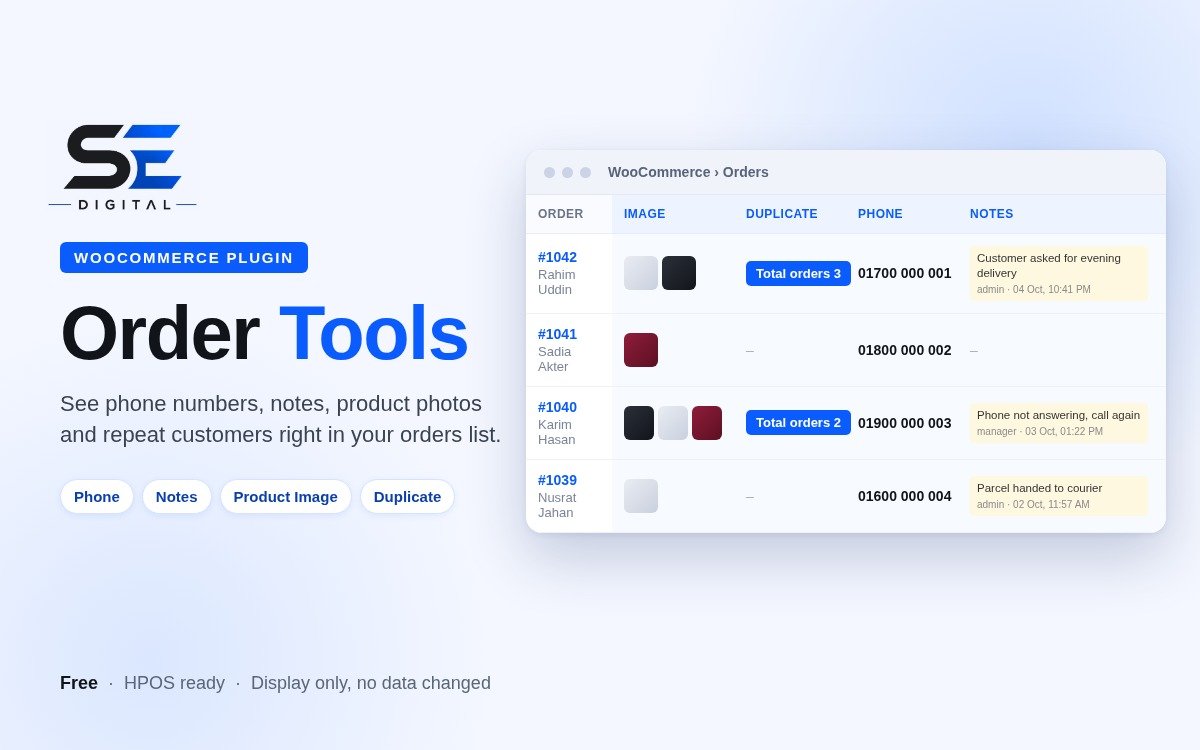
Order Tools adds four useful columns to the WooCommerce orders list, so your team can see what matters at a glance without opening each order one by one.
WHAT YOU GET
- Phone: the customer's phone number in its own column. Click it to call on mobile.
- Notes: the latest 3 notes your team added to each order (for example "customer not answering" or "parcel given to courier"), with who wrote it and when. Automatic system notes such as status changes and stock updates are skipped, so only the useful notes show.
- Product Image: small photos of the ordered products (up to 3, with a "+N" for more). Variation photos are used when available.
- Duplicate: a "Total orders N" button appears when the same phone number has more than one order. Click it to open an Order History popup with order number, name, phone, status, product photo, date and an Open button. Great for spotting repeat customers and repeated fake orders.
WHY YOU WILL LIKE IT
- Saves time: your team sees phone, notes and photos without opening orders.
- Safe: display only. Order Tools never changes your orders, customers or checkout.
- Lightweight: no settings to configure and no extra pages. Install, activate, done.
- Works for admins and Shop managers.
- Compatible with WooCommerce High-Performance Order Storage (HPOS) and the classic order screen.
- Matches repeat orders even when the same number is saved as 017..., +88017... or 88017...
REQUIREMENTS
- WordPress 5.8 or newer
- PHP 7.2 or newer
- WooCommerce 7.0 or newer
HOW TO INSTALL
1. Download the ZIP file.
2. In WordPress go to Plugins > Add New > Upload Plugin and choose the ZIP.
3. Click Install Now, then Activate.
4. Open WooCommerce > Orders. The new columns appear on the right.
Tip: if you already use another plugin that adds similar columns (for example Product Image or a duplicate-order column), turn that one off to avoid seeing the same column twice.
CHANGELOG
1.1.3 - Total orders button restyled in the SE Digital blue.
1.1.2 - Product Image and Duplicate (repeat order) columns added.
1.0.0 - First release: Phone and Notes columns.